
Everything in one place
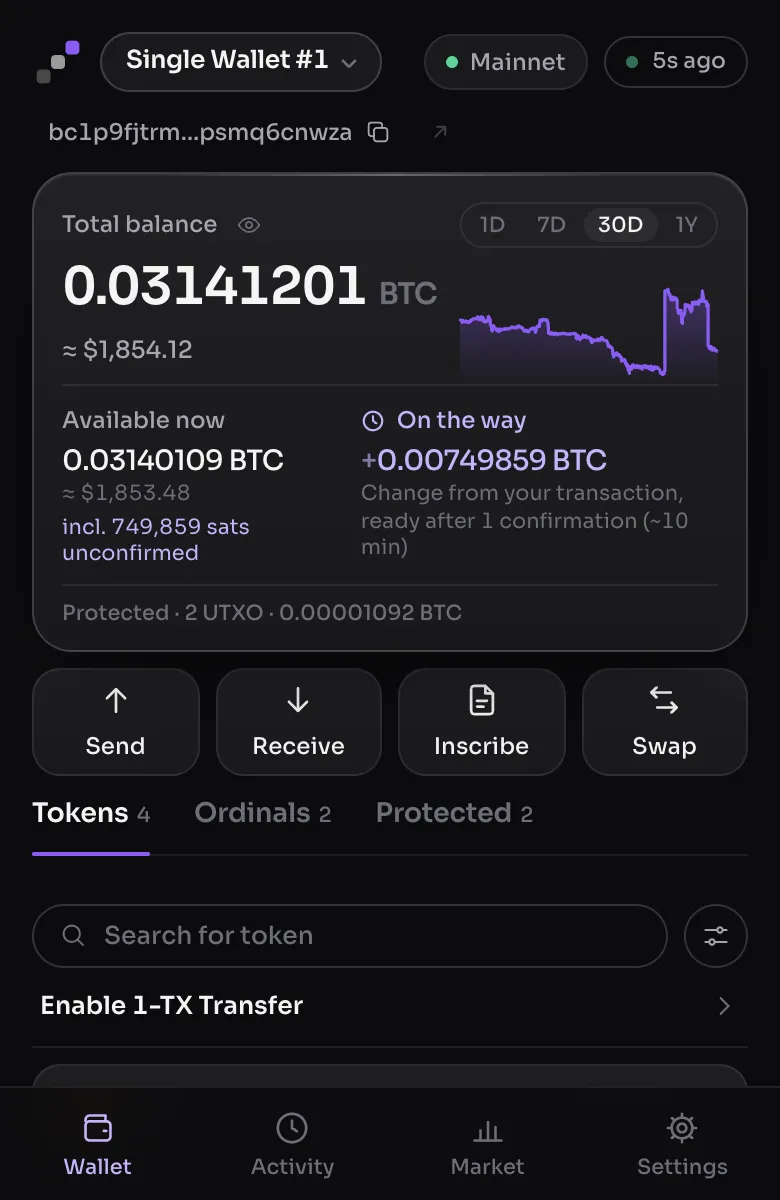
Your BTC balance, TAP Protocol tokens, DMT and inscriptions side by side, with a chart of your balance over time.
Beta · Chrome extension
Snoopy Track Wallet is a self-custody browser wallet for Bitcoin and the TAP Protocol: BTC, TAP tokens, DMT and inscriptions in one place. It is non-custodial. Your recovery phrase and private keys are made on your device and never leave it.
What it does
A browser extension for Chrome. It opens from the toolbar, like any other extension.
Your BTC balance, TAP Protocol tokens, DMT and inscriptions side by side, with a chart of your balance over time.
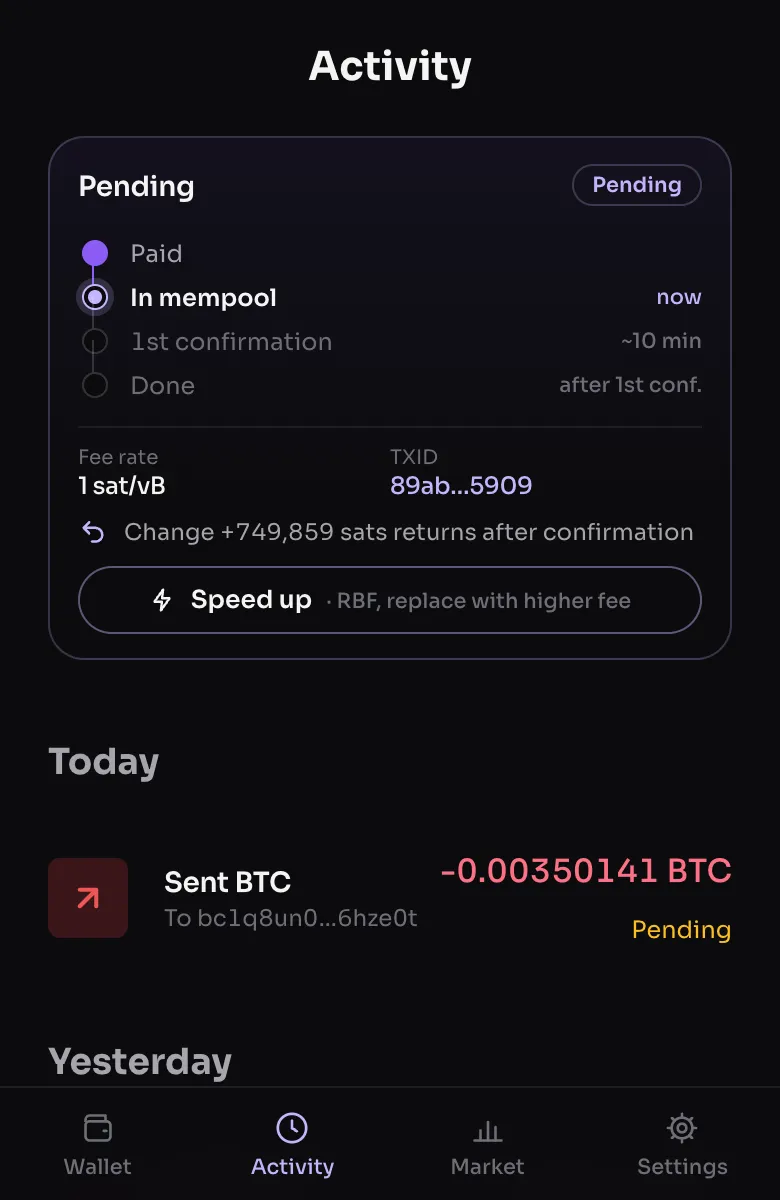
Send and receive BTC, TAP tokens and inscriptions. Receive shows your address as a QR code. You can also send TNK on Trac Network.
TAP Protocol and Ordinals sites can ask to connect. Every request opens its own wallet window, where you approve or reject it.
Create a new wallet, or restore one from a recovery phrase or a private key. Ledger hardware wallets are supported.
Self-custody
Nobody holds your coins for you, and nobody can freeze or move them. That also means nobody can restore your wallet if you lose the recovery phrase. Write it on paper and keep it offline.
Safety built in
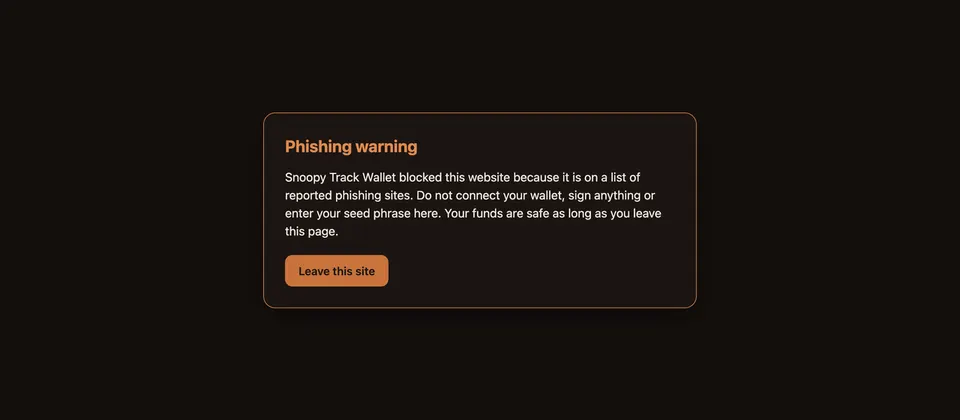
The wallet checks every send and every site before you sign anything.
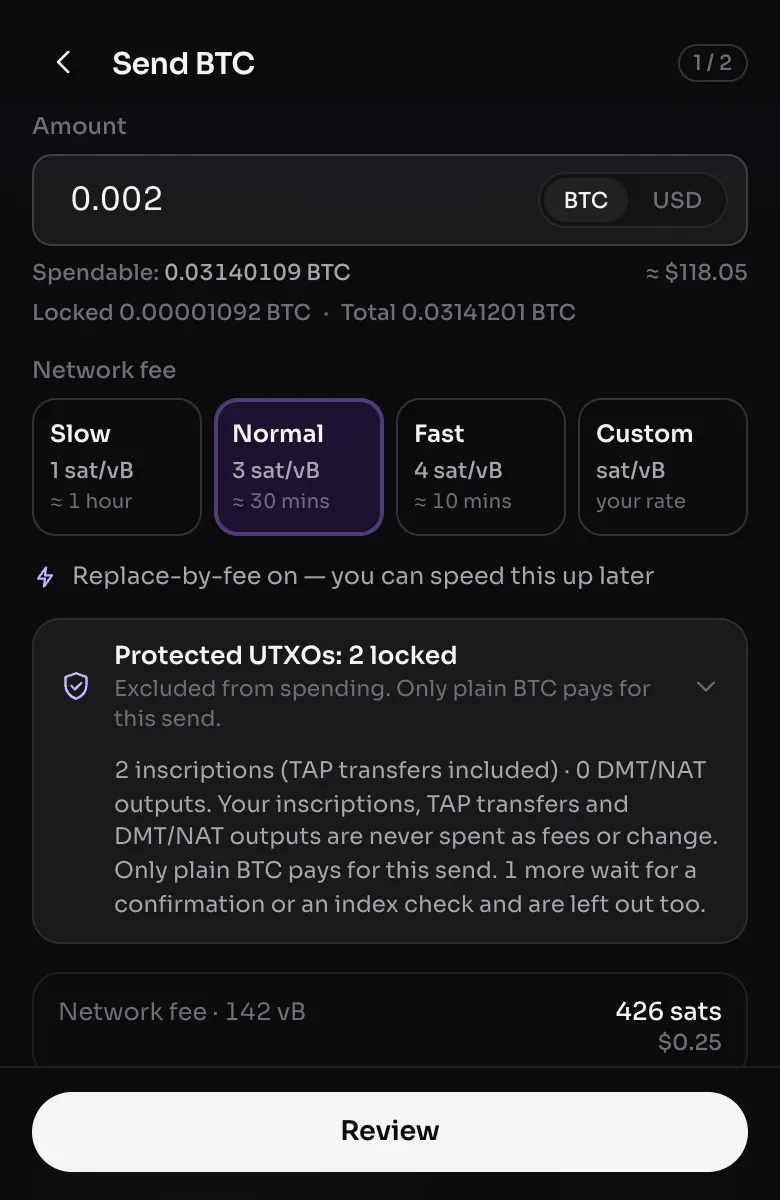
Every send has a review screen: recipient, amount, network fee and total.
Coins that carry inscriptions, TAP transfers, DMT or runes are kept out of a plain BTC send, so you do not spend them by accident.
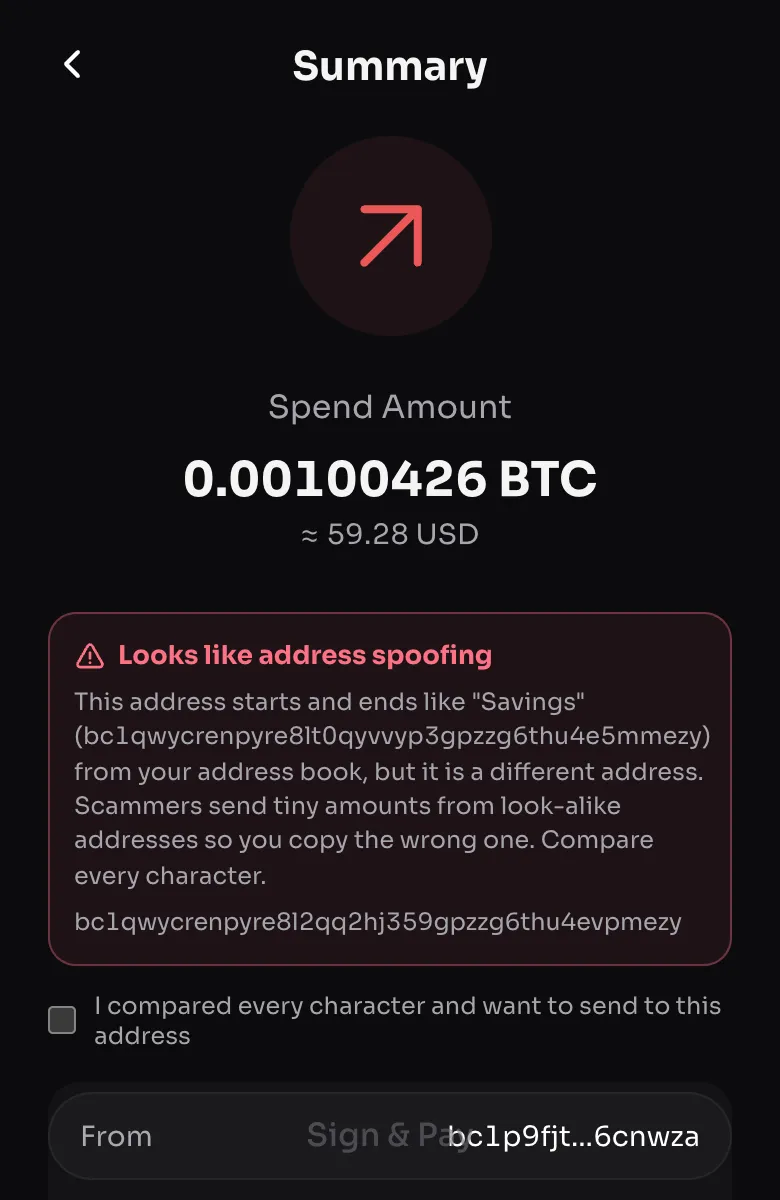
A warning when a recipient looks like an address from your history or address book but is a different one (address poisoning).
Over 170,000 known phishing sites get a full-page warning and no access to your wallet. Sites whose address imitates a known site get a warning too.
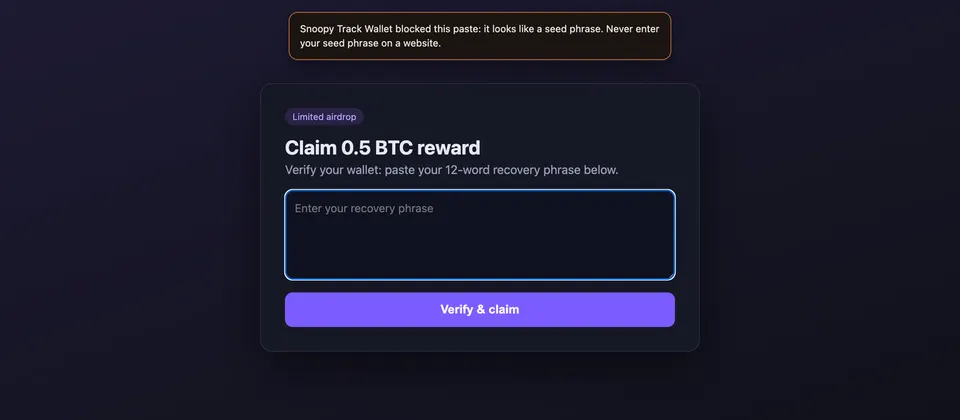
Pasting a recovery phrase into any website is blocked, with a warning. The check runs on your device and keeps nothing.
Large sends ask for your password again, and the wallet locks itself after the idle time you choose.
Inside the wallet
Taken from the beta build with demo data: a test wallet that belongs to nobody and made-up transactions.
Beta
The beta is an unlisted Chrome Web Store page: it does not show up in store search, and the link is posted in our Discord. No sign-up, no email. It is a beta: create a new wallet for it and keep small amounts only.
Use only the link in the 🦊・wallet channel. It must start with https://chromewebstore.google.com/.
Click Add to Chrome, then pin Snoopy Track Wallet from the puzzle icon. No zip files, no developer mode.
No photos, screenshots, notes apps or cloud files.
Chrome will say the extension can "read and change all your data on all websites". The wallet needs this for two things: the connection that lets wallet-enabled sites ask for your approval, and the paste guard that protects you on any page. It does not read pages and sends nothing about the sites you visit. Details in the FAQ.
Follow Snoopy Trac
News about the wallet comes first in our Discord server.